
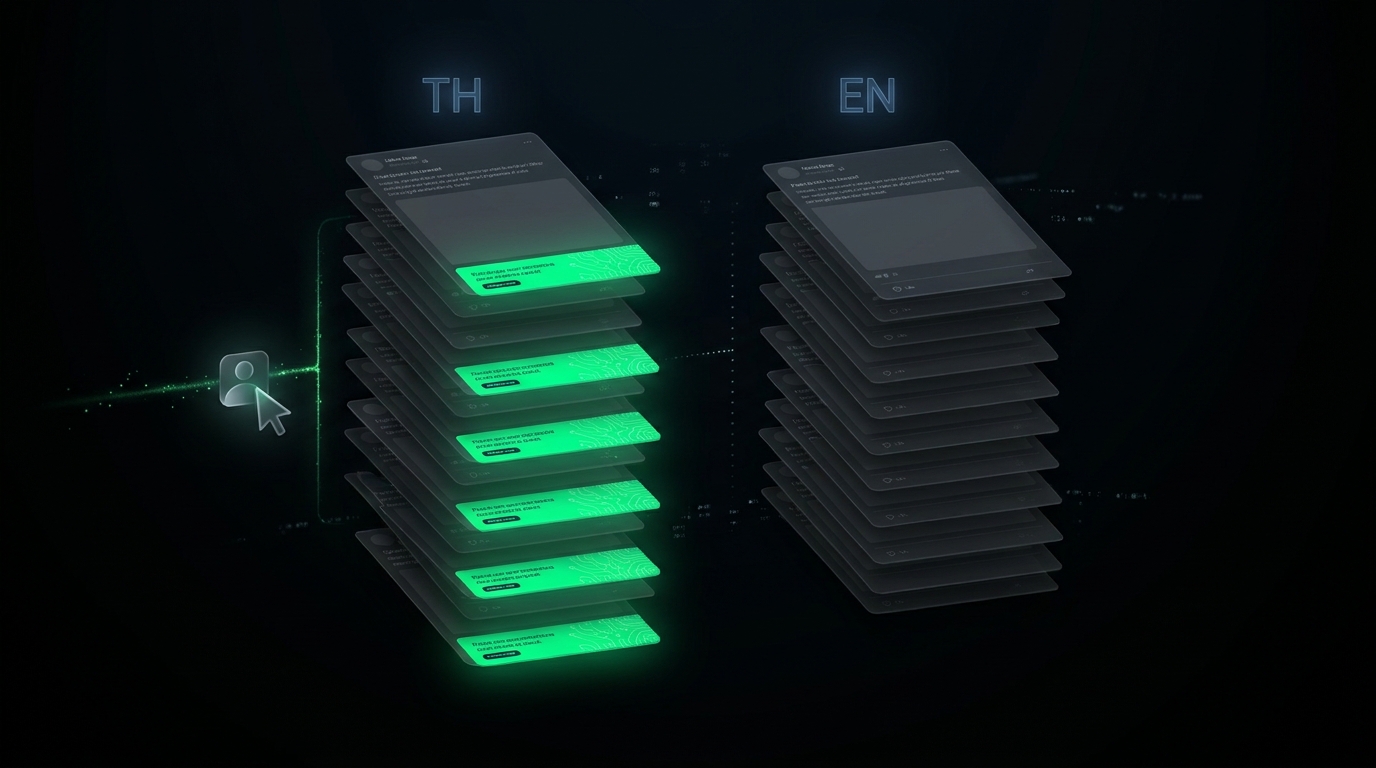
I'm running a regional event promo right now that only matters to one of my audiences. I wanted every new post on that page to ship with a promo footer auto-appended — but not on my other Facebook page (different language, different audience), and definitely not on this English blog you're reading, which is auto-translated from the other-language version of the same post. One sentence to my AI agent, and the footer landed on exactly the right channel — silent everywhere else.
The job sounds tiny on paper. In reality it touched three different systems with three different blast radii, and getting it wrong would have leaked the wrong-language promo into the wrong audience's feed. Here's how my AI handled it.
The Setup: One Promo, Three Channels, One Right Answer
Quick map of the systems involved so the rest of this story makes sense:
- Documentor is my auto-content system. It has multiple projects inside it — one per Facebook page. Each project gets its own posts in its own language.
- Every Documentor post is built out of blocks — image, caption, comment, source link, etc. — that get assembled into a final post.
- A cron runs my ai-case-study skill four times a day. Each run creates two posts in parallel — one for the page in language A, one for the page in language B.
- After Documentor publishes, a second pipeline grabs the language-A HTML and translates it into English for the blog on this site.
So when I said "add a promo footer to my language-A audience only," what I was really asking for was:
- Yes — append it under every new post on the language-A page
- No — don't touch posts on the language-B page
- No — don't let it sneak through the translation pipeline and end up on the EN blog under every article
Three different "no"s, in three different systems. If my AI handled #1 in the most obvious way and forgot about #3, you'd be reading this exact article with a paragraph about an in-person event in another country tacked on the bottom in translated English. Confusing for you, and a free downrank from the algorithm because the link goes to a non-English domain.
Layer 1 — Inject at the Block Level, Not the HTML
The wrong way to do this is to hardcode the promo into the post template's HTML. That mixes "what the post is" with "what campaign is currently running," and the day the campaign ends you'll forget to remove it.
My AI did it cleaner. It split the campaign into two files that live outside any post:
/root/scripts/event_promo_comment.txt— the promo copy plus the ticket link with my referral code/opt/documentor/media/event_promo_poster.jpg— the poster image that ships with the footer
One file edit propagates to every post the cron will ever create. When the campaign ends, I delete two files and the promo silently stops showing up everywhere. No going back and stripping HTML out of yesterday's post.
This is the same separation-of-concerns trick I lean on whenever a value might change across many places at once — externalize it, reference it. Tool builders learn this lesson early; SaaS users usually inherit whatever defaults the vendor picked, whether they want to or not.
Layer 2 — Pin the Rule to a Specific Project, Not to the Cron
Here's where it got interesting. The cron that fires four times a day runs the same ai-case-study skill for both projects. Same prompt, same model, same logic — only the project ID changes per run.
If I added "append a promo block at the end" to the shared prompt, both projects would get the footer. Bad.
My AI's fix was to scope the rule inside the prompt itself, pinned to a specific project UUID:
RULE: For project <UUID-A> ONLY — append one extra
block at the very end (AFTER the bridge block,
sort_order 6). Content is in event_promo_comment.txt
+ event_promo_poster.jpg. For all other projects,
do not add this block.
One project gets the extra block. Every other project is invisibly skipped. The cron stays the same, the skill stays the same, the rule lives next to the data it acts on — at the project level, where it belongs.
Sort order matters too. The bridge block at position 5 is my closing CTA — the "if you found this useful, here's a link to the product" paragraph that wraps every post. If the promo footer landed before that block, the close-of-post flow would be broken. My AI pinned the promo to sort_order 6 specifically — after the close, as a final standalone piece — so the original post still feels finished, and the promo reads as the explicit extra it is.
Layer 3 — The One That Almost Got Me: The Translator
This is the layer most people would forget. I almost did.
Documentor publishes the language-A post with the footer attached. Great. Then the next pipeline kicks in — grab the HTML, hand it to a translator skill, output an English blog post on this site.
That translator doesn't know the promo footer is a per-audience injection. From the translator's perspective, it's just more HTML on the page. It will dutifully translate the promo block into English, link and all, and you'll get "Early bird tickets for the in-person event in Bangkok on May 23 — buy here" sitting at the bottom of an English article about AI agents.
My AI caught this on its own. Before triggering the EN translation step, it added an explicit instruction to the translation prompt — paraphrasing the gist:
CRITICAL: If the source HTML contains the campaign
promo footer (event name, ticket-link domain, ref
code, or early-bird wording), IGNORE that section
— it is a per-audience footer that must not appear
in the translated EN version.
Translator now skips the footer entirely. EN blog stays clean. Reader (you) sees the article without a stray promo block bolted onto the end.
And the part I loved — I never asked for this layer. I gave my agent one sentence about audience scope, and it walked the pipeline graph forward, found the downstream system that would silently leak, and patched the leak before it happened. That's the difference between a code generator and an agent that actually runs the system on your behalf.
Why Not Just Pin a Post to the Top of the Page?
Someone always asks this — "why not just pin a promo post to the top of the page and call it done?"
Short version: that's not how social algorithms work anymore.
Almost nobody visits your Facebook page directly. Your audience sees your posts in their feed. The feed serves them a random recent post — not your pinned one. A pinned post lives at the top of a page that nobody opens, which means it gets a handful of impressions per week regardless of what you put there.
The inverted approach — bake the promo into every new piece of content — flips the math. Whichever post the feed surfaces next, the promo travels with it. Cheap distribution, no extra ad spend, no daily reminder posts that train the audience to scroll past.
This is also why I keep building my own tools instead of stitching together SaaS schedulers. A generic scheduler can post one extra promo at a fixed time. It can't reach inside the post-creation pipeline and inject an extra block into every post that's about to be generated. Owning the pipeline is the leverage.
What I Did vs. What My AI Did
The whole point of telling this story is to make the labor split visible. Here's what was on me:
- One sentence: "add a promo footer under every new post on the language-A page only — keep it off everything else."
- One poster image, dropped in a chat.
- One paragraph of promo copy, written once.
Here's what my AI agent handled without further input:
- Externalized the promo text and image to dedicated files so a single edit propagates everywhere
- Pinned the inject rule to a specific project UUID inside the cron prompt
- Made sure the block lands at sort_order 6, after the closing bridge block, so the original post's rhythm isn't broken
- Did not inject into the other-language project at the Documentor layer
- Added an IGNORE rule to the EN translation pipeline so the footer is dropped before the blog post is written
- Confirmed all of it on the next 4×-a-day cron run and quietly came back to say "shipping clean"
- When the campaign ends, I delete two files and one prompt line — that's the off-switch
I never opened the content system. I never copied promo text into individual posts. I never edited the translator manually. The entire change happened from one prompt on my phone, while I was doing something else.
This Is the Job an AI Agent Is For
This isn't a flashy use case. There's no chart, no MRR bump, no viral moment. It's exactly the kind of small operational chore that piles up in any real business — a campaign that needs different treatment per channel, a feature flag that has to land in three systems at once, a config change whose blast radius is wider than it looks.
If I were doing this with a chatbot, I'd be opening it, describing the task, getting a script back, opening an SSH session, pasting it in, editing the parts that don't quite fit, restarting the cron, eyeballing the next run, debugging the bit I missed — and probably forgetting the translator layer entirely until a week later when a reader emailed me to ask why an English article has a paragraph about a Bangkok event at the bottom.
With Newton — my AI agent living on my own server, with SSH access to the pipelines, knowledge of which project IDs map to which audiences, and the ability to edit prompts inside other scripts — I get the version you just read. One sentence in, three systems patched, every audience seeing only what they should. That's what a private AI agent on your own infrastructure unlocks: small operational work, executed with judgment, without you in the loop. See how Newton works →
— Pond