
I opened Documentor on a Thursday morning expecting a fresh batch of content ideas in the queue. There was nothing there. I checked Wednesday's queue. Empty. Tuesday's. Also empty. My morning research job had been quietly returning zero topics for three days, and nothing in my logs had said a word about it.
The villain turned out to be a single unescaped double-quote inside a JSON string. The script had been catching the exception, returning an empty list, and continuing as if everything was fine. That's the bug. The interesting part — and the reason I'm writing this — is what happened after I told Tim, my AI agent, "go figure out why my queue is empty."
What the pipeline actually does
For context: Documentor is the system I use to brainstorm and queue content ideas. Every morning a cron job runs a shell script called inc-content-research.sh which does four things in order:
- Sends a big prompt to
claude -p --model claude-sonnet-4-6asking for 8 new topic ideas. - Receives the output as a JSON object.
- Parses it with Python's
json.loads. - Pushes the topics into Documentor's queue so I can pick which ones to publish.
Steps 2 → 3 were where everything was falling over. Sonnet was returning something that looked like JSON to a human eyeball but that json.loads would refuse to parse.
Four ways Claude Sonnet can break your JSON, and I hit all of them
Tim went back through the raw stdout I'd been dumping to /tmp for the last three days and catalogued every failure mode. There were four, and they fired more or less at random:
1. A friendly preamble before the JSON. The prompt explicitly said "respond with JSON only, no other text." Sonnet still occasionally led with things like "Got it. Here are the topics..." or "Continuing — remaining items..." before the object actually started.
2. Markdown fences. Sometimes the response was wrapped in ```json ... ```. Same prompt, same instructions, same model — it just felt like fences that morning.
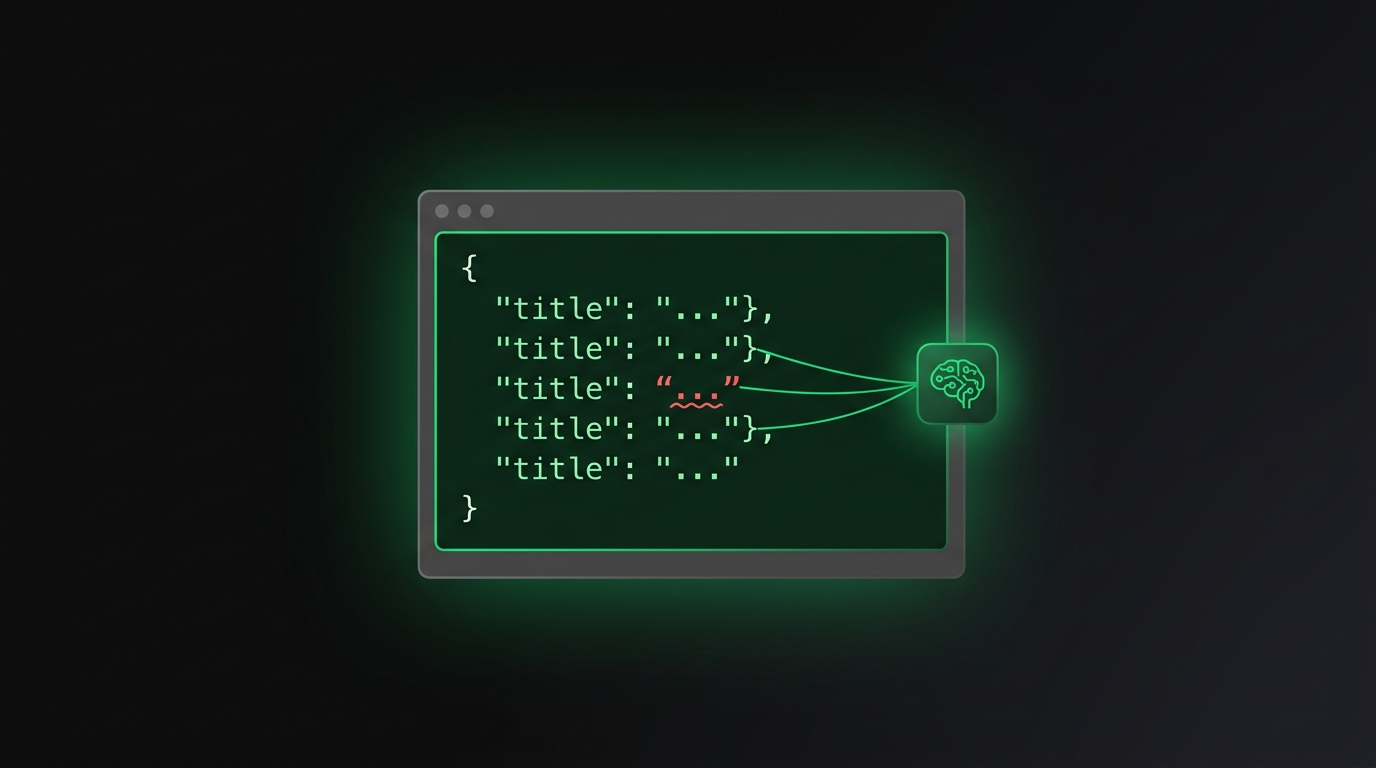
3. The killer: unescaped quotes inside string values. This is the one that cost me the most time. When the content involved a quoted phrase, Sonnet would emit something like:
{
"title": "The owner said "I don't want my staff burned out," so he automated with AI",
"category": "operator"
}
The inner quotes around "I don't want my staff burned out" aren't escaped. json.loads reads the first inner ", decides the string ended after "The owner said , and the whole rest of the document is now syntax garbage.
4. Trailing commentary. A perfectly valid JSON object followed by a chatty line like "I have all the content needed." Greedy regex matchers swallowed it; non-greedy ones missed the closing brace. Either way, broken.
Any of these can show up on any call. Same prompt, same temperature, same model. Sonnet just decides on the day.
Why I didn't notice for three days
The script was using a pattern I now hate: log the error and continue. json.loads would throw, the script would catch it, write a one-line warning to a log file I never read, return an empty list, and move on. From my point of view the queue just looked empty. I assumed Tim had been lazy. He hadn't — the pipeline was dying every morning, in total silence, and pretending it had done its job.
If you're writing automation: your default should be "fail loud," not "fail quiet." Catch-and-continue only makes sense when you've consciously decided that "no data" is an acceptable outcome of the failure path. For a content pipeline, "no data" should page me, not shrug.
The fix: two layers of defense, not one patch
I expected Tim to slap a regex on it and call it a day. He didn't. He proposed two layers, because any one of those four failure modes can return tomorrow in a slightly different shape:
Layer 1 — a string-aware brace counter. Instead of a regex like r'\{.*?\}' (which can short-match nested objects), Tim wrote a tiny character-by-character parser. It walks the raw output one character at a time: when it hits a " it flips an in_string flag, when it hits \ it skips the next character, when it's outside a string and hits { it increments a depth counter, when it hits } it decrements. The substring from the first opening brace to the matching closing brace is returned, and everything else — preamble, fences, trailing chatter — is thrown away.
That's failure modes 1, 2, and 4 dead.
Layer 2 — json-repair as a fallback. Once the wrapper junk is stripped, the cleaned substring goes to json.loads. If it parses, great. If it raises JSONDecodeError — which now only happens when Sonnet has emitted an unescaped inner quote — we hand it to the json-repair library, which specifically knows how to fix malformed quoting and trailing commas.
Tim installed json-repair into both the Documentor venv (/opt/documentor/.venv) and the Loom venv (/opt/loom/.venv), on the assumption that any other workflow that pipes Claude output into JSON is going to hit the same bug eventually. Defense in depth applied across the codebase, not just at the site of the failure.
Bonus — raw output dumping, always on. Every script that pipes Claude into JSON now writes the raw model output to /tmp/<script>-raw-<timestamp>.txt before any parsing happens. If anything ever breaks again, I open one file and I'm staring at the exact bytes that broke us. No re-running cron, no guessing, no "let me reproduce it."
The part I actually care about: Tim remembered it
After the deploy, Tim wrote a memory note to itself: "Claude Sonnet's JSON output is non-deterministically malformed. Always wrap Sonnet → JSON pipelines with a brace counter + json-repair fallback, and dump raw output for debugging."
That's the bit that turns a one-off bug fix into a permanent improvement. The next time I ask Tim to write a script that pipes Claude into structured output — whether it's tomorrow or six months from now — that memory loads automatically and the brace counter shows up in the first draft. The bug doesn't need to be re-discovered.
Compare that with how I'd handle this on my own:
- Debug for two or three hours.
- Patch one script.
- Forget about it.
- Write a new script next month using the same naïve parser.
- Hit the exact same bug. Re-debug.
That's the loop AI agents kill. Not "AI writes the code" — that part everyone has. AI remembers across sessions. The lesson never falls out of the codebase.
This isn't a developer-only problem
You might be reading this thinking "okay, but I don't run cron jobs." That's fine — but you almost certainly run something that depends on AI output staying well-formed. A spreadsheet macro that calls GPT. A Zapier zap that feeds Claude into Notion. An n8n flow that asks Gemini for tags. Every one of those pipelines can die the same way mine did, and most of them die without telling anyone.
The same kind of bug has bitten me before from a different vendor — Gemini's docs literally lied about config key names and I burned a whole evening on it. AI output is non-deterministic across every provider I've used. You don't fix that with prompts. You fix it with defensive parsing and a system that remembers what bit you last time.
And the silent-failure flavor isn't just AI output — I hit the same pattern at the infrastructure layer too. A Newton customer got a "your server is ready" email while Cloudflare was quietly serving half their traffic to a dead IP. The provision script exited 0 and the email fired. Different stack, same lesson: exit-0 is not proof the outcome happened.
The case for your own AI on your own server
The reason this whole episode was a three-hour story instead of a three-week ticket is that I own every file Tim needed to touch. Documentor's shell scripts, Loom's Python venv, the cron jobs, the log files — all of it is sitting on a server I control, and Tim has full SSH and edit access. There was no support queue, no roadmap to wait for, no "we'll add it to the next release."
If I were paying a SaaS for the same workflow, my best move would be a feature request followed by patience. Best case, six months. Most likely, never — because my edge case isn't anyone else's priority. I'd rather own the code. And once you own the code, an AI agent that can read and rewrite it is the missing piece.
That's what Newton is for. It's a pre-installed AI agent on your own private VPS — same shape as Tim, same kind of cross-session memory, same ability to actually open files and change them. You sign up, the auto-provision pipeline spins up a server for you in about two minutes, and you can start handing it the same kind of debug job I gave Tim today. See how Newton works →
— Pond